
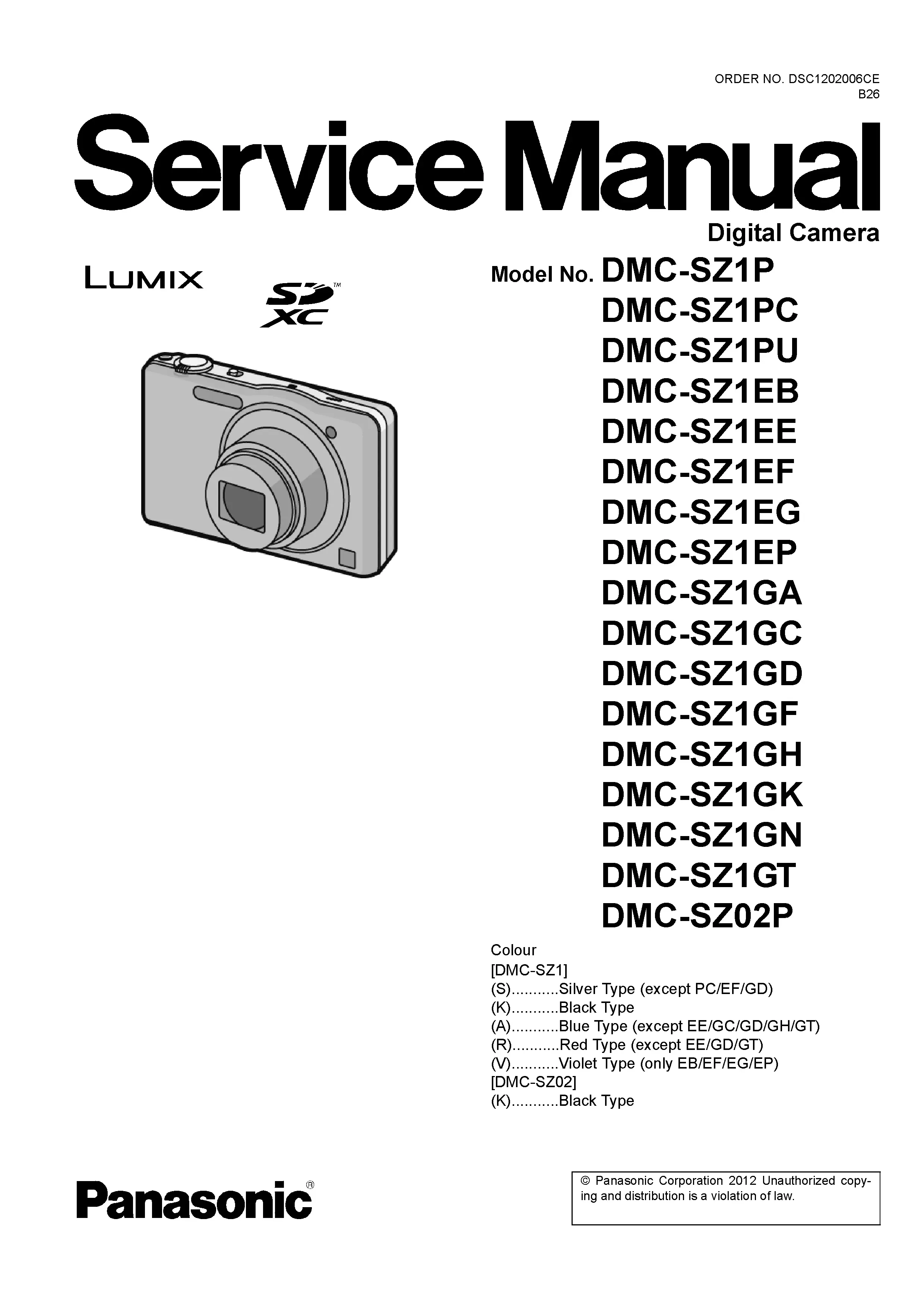
Panasonic Lumix DMC SZ1 Digital Camera Service Manual
$9.99
Panasonic Lumix DMC SZ1 Digital Camera Factory Service Manual with repair information for diagnostics, disassembly, adjustments and parts reference. Instant Download.
Description
Panasonic Lumix DMC SZ1 Digital Camera Service Manual
This factory service manual is written for technicians working on the Panasonic Lumix DMC SZ1 digital camera, with the service information needed to trace faults beyond the outside symptoms.
Inside the manual, the factory sequence keeps the repair process organized. This reference is intended for a camera technician, with attention to component-level repair, electronic diagnostics, image sensor servicing, autofocus systems, optical alignment, shutter mechanisms, flash circuitry, PCB servicing, ribbon cable replacement and calibration procedures.
Manual Specifications
- Brand: Panasonic Lumix
- Model: DMC SZ1
- Product Type: Digital Camera
- Manual Type: Factory Service Manual
- Pages: 82
- File Format: PDF
Instant Download
After checkout, the DMC SZ1 service manual is supplied as an instant download so the repair information can be used immediately at the bench. The file name and page count match this exact Panasonic Lumix digital camera listing.
Manual Contents
The manual follows Panasonic’s factory service style and gives each repair stage its own technical reference.
- Safety Precautions: Explains the factory safety checks, critical parts warnings and electrical handling rules that should be observed before the camera is opened.
- Service Warnings and ESD Protection: Helps protect CMOS or CCD devices, control boards and ribbon cable connectors from static damage during component-level repair.
- Service Navigation: Guides the repair flow from symptom review to the factory procedures needed for access, adjustment and final confirmation.
- Technical Specifications: Provides the reference values that define how the camera should operate when it is healthy.
- Camera Controls and Component Locations: Makes it easier to trace a symptom from an external control to the switch, board or flexible circuit behind it.
- Service Mode: Describes service-mode access used for factory checks, error review and confirmation after repair.
- Error Code Diagnostics: Links displayed or stored errors with the assemblies that should be inspected first during fault isolation.
- Service Fixtures and Special Tools: Identifies the special service equipment used when measurements, optical alignment or precision adjustments are required.
- Disassembly and Assembly Instructions: Keeps the disassembly order clear when several covers, shields and flex cables have to be removed.
- Lens Disassembly Procedures: Helps prevent damage to optical groups and fine mechanical parts during lens service.
- Lens Assembly Procedures: Shows how the lens mechanism is rebuilt so gear timing, guide positions and optical movement remain correct.
- CCD / CMOS Sensor Service: Helps diagnose image sensor servicing issues such as dark images, spots, lines, color faults or no-image symptoms.
- Focus Motor Service: Provides the service context for focus motor inspection, connector checks and confirmation of smooth optical movement.
- Measurements and Adjustments: Helps confirm that the camera is back within factory tolerance after the repair is complete.
- Maintenance Procedures: Helps the bench catch small issues before the camera is closed and returned.
- Cleaning Instructions: Explains approved cleaning areas and handling cautions for optics, sensor-adjacent parts, covers and contacts.
- Block Diagram: Provides a high-level circuit map that helps trace communication and power paths before individual schematics are checked.
- Schematic Diagrams: Gives the detailed electrical drawings needed for board faults, charging issues, flash circuitry and communication problems.
- Printed Circuit Board Views: Supports component-level work by linking schematic callouts to the real board layout.
- Exploded Views: Provides a mechanical map of covers, boards, lens sections, buttons and brackets.
- Replacement Parts List Catalog: Lists the factory part references used to order boards, covers, lens parts, screws, flex cables and other service components.
Common Problems Covered
Use this manual when diagnosing faults that need internal access, service-mode checks, measurements or confirmed replacement parts.
- Camera will not power on
- Lens will not extend or retract
- Autofocus not operating correctly
- Blurry images or uneven image quality
- CCD / CMOS sensor issues
- Zoom mechanism problems
- Flash not firing
- LCD display failure
- Control button failures
- Memory card, USB or main PCB faults
Technician Reference
The DMC SZ1 manual is useful when diagnosis has to move from a symptom to a verified assembly. It supports factory servicing work such as checking power lines, inspecting flexible printed circuits, confirming lens drive operation, servicing CCD or CMOS sensor areas, tracing flash and exposure circuits, and completing precision adjustments after reassembly.
Who Is This Manual For?
This manual is for professional camera technicians, electronics repair shops, refurbishers and experienced Lumix owners who need the correct technical reference for keeping the camera repairable instead of treating it as disposable. It is not a user guide; it is a factory service document for careful digital camera repair.
More Panasonic Lumix Digital Camera Service Manuals
Need Help Finding The Correct Manual?
Only logged in customers who have purchased this product may leave a review.
Related products
-
Sale!
Panasonic Lumix DC GX880 GF10 Digital Camera Service Manual
Original price was: $14.99.$12.99Current price is: $12.99. Add to cart -
Sale!
Panasonic Lumix DC S1H Digital Camera Service Manual
Original price was: $14.99.$12.99Current price is: $12.99. Add to cart -
Sale!
Panasonic Lumix DC FT7 TS7 Digital Camera Service Manual
Original price was: $14.99.$12.99Current price is: $12.99. Add to cart -
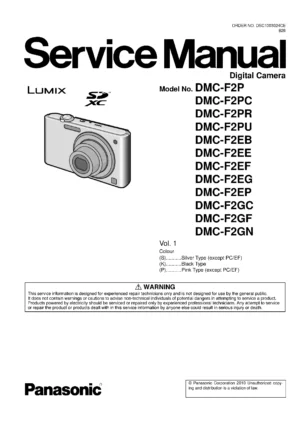
Panasonic Lumix DMC F2 Digital Camera Service Manual
$7.99 Add to cart
Reviews
There are no reviews yet.